Read this article in: Portuguese (Português) · Spanish (Español)
For those looking to know the complete specifications of the Intel Core i9-10900, it is essential to understand that this high-performance processor was launched in April 2020 and represents a milestone in Intel’s desktop architecture. With a power consumption of 65 W (TDP) and a suggested retail price (MSRP) of US $439, the i9-10900 was designed for users who demand the maximum in multitasking and heavy workloads. It incorporates a robust set of cores and threads, positioning it as a powerhouse that balances energy efficiency and raw processing capability, making it ideal for anyone who doesn’t compromise on peak performance in their setup.
The relevance of the Core i9-10900 is not limited just to its numbers; it is part of a processor line that redefined the standard of performance in the personal computing market. Its launch period, in April 2020, coincided with a period of growing demand for machines capable of supporting everything from intensive remote work to advanced professional development. With a TDP of 65 W, Intel engineers delivered a level of power that was, at the time, synonymous with high capacity and reliability, solidifying the i9 as the top-of-the-line choice for enthusiasts and professionals.
In this article, we will dive deep into this cutting-edge processor. We will start with an overview of the i9-10900’s positioning and architecture, followed by a detailed technical analysis, examining the number of cores, clock frequency, and cache capacity. We will also cover crucial aspects such as power consumption and PCIe connectivity. Finally, we will present a practical comparison, helping you understand the i9-10900’s performance in real-world gaming and productivity scenarios, and whether it is still worth the investment today.
Key Features
- It is an elite processor (Comet Lake) ideal for enthusiasts and professionals who demand maximum performance.
- It features a robust configuration of 8 cores and 16 threads, optimized for multitasking and heavy productivity.
- It operates on the LGA 1200 socket and supports DDR4, making it compatible with chipsets like B460 and H470.
- It offers 16 lanes of PCIe 3.0 and a DMI 3.0 bus, ensuring high connectivity for top-tier peripherals.
- It has a 65W TDP and advanced features like Turbo Boost 3.0, maintaining high performance under thermal stress.
Intel Core i9-10900 Technical Specifications
| Brand | Core i9 |
|---|---|
| Model | 10900 |
| sSpec Number | SRH8Z |
| Integrated Graphics | UHD 630 |
| TDP | 65 W |
| Base Clock | 2.8 GHz |
| Launch Date | April 2020 |
| Suggested Price (MSRP) | US $439 |
Intel Core i9-10900 Overview: Positioning and Architecture
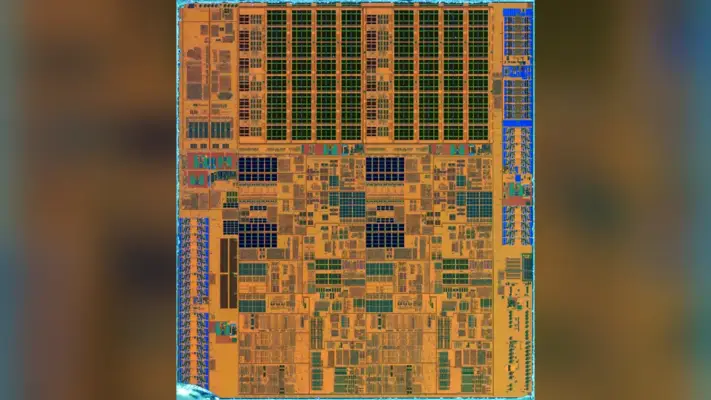
The Intel Core i9-10900 represents an elite performance level in the computing market, being a component designed to meet the most demanding needs of enthusiasts, content creators, and professionals who rely on maximum performance for complex tasks. This processor is part of the Core i9 family and is based on the Comet Lake architecture, a significant evolution that established the i9-10900 as a high-caliber processor. Launched in April 2020, it not only raised speed standards but also integrated advanced architectural features, redefining what was expected of a top-tier desktop processor. For those looking to understand the performance of other excellent options, it is worth checking the specifications of the Core i5-11400F.
Architecture and Market Positioning
The i9-10900’s positioning clearly places it in the premium segment of processors. Its architecture, based on the Comet Lake family, operates on a 14-nanometer manufacturing process. A crucial aspect to understanding its function is its physical socket: it uses the LGA 1200 socket. This socket standard ensures compatibility with a chipset ecosystem such as B460, H410, H420E, H470, Q470, Q470E, W480, and W480E.
In terms of connectivity, the i9-10900 is equipped with 16 PCIe 3.0 lanes and uses the 4-lane DMI 3.0 bus to communicate with the chipset (PCH). This robust infrastructure allows the processor to power multiple high-speed devices simultaneously, such as graphics cards and NVMe storage drives.
Advanced Performance Features
To ensure the user can extract maximum performance in any scenario, the i9-10900 incorporates advanced *boost* technologies. While i9 and i7 models support Turbo Boost 3.0, i9 line processors and 10-core Xeon W models also feature Thermal Velocity Boost, ensuring the processor clock remains at extremely high levels under thermal stress. In terms of memory, it supports DDR4 memory in a dual-channel configuration, with speeds up to 2666 MT/s.
In summary, the i9-10900 is not just a number; it is a combination of cutting-edge engineering in a 65W (TDP) package. It is optimized for users who do not accept performance compromises, whether in 4K video rendering, running complex virtual machines, or gaming sessions that demand maximum real-time processing. Its design ensures it remains a benchmark of computational power for the professional user and the most demanding enthusiast.
Technical Analysis: Cores, Clocks, and Cache
Cores, Threads, and the Power of the Clock
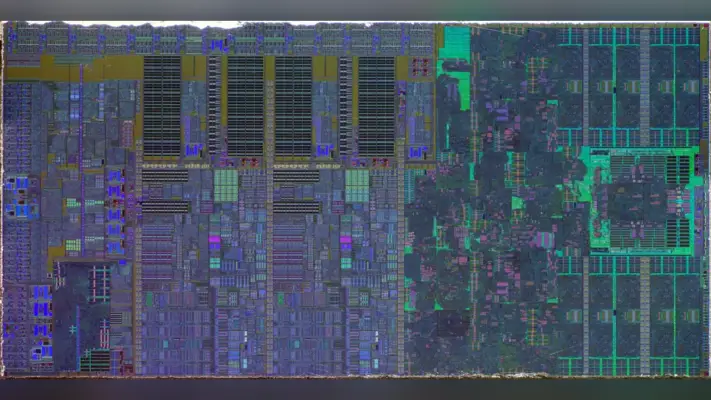
To understand the raw performance of the Core i9-10900, it is essential to break down what its architectural numbers mean. This elite processor operates with a robust configuration of 8 cores and 16 threads. This combination of physical cores and virtual threads allows the processor to execute a large number of tasks simultaneously, which is crucial in heavy productivity and complex multitasking scenarios. For those looking to understand the current market landscape, it is worth checking the complete specifications of the Core i7-13700. In terms of frequency, the i9-10900 has a base clock of 2.8 GHz. However, the true potential speed is revealed by the Turbo feature, which allows the processor to drastically raise its operating frequency when demanded by intensive workloads. This *boost* mechanism is crucial because it ensures that the processor is not limited only by its nominal frequency, maintaining high performance during peak demand.
The Importance of Cache Memory
If the cores and clock define the raw power, the cache defines the processor’s intelligence and efficiency. The term “Smart Cache” actually refers to a hierarchy of ultra-fast memories incorporated directly into the chip. Instead of waiting for data from the main RAM, the processor stores frequently used information in closer cache levels. The i9-10900 is structured with a 64 KB L1 cache per core and a 256 KB L2 cache per core. These values, when combined with the L3 cache (also called Smart Cache), drastically minimize data access latency. In summary, the larger and faster the cache, the shorter the processor’s waiting time, resulting in a smoother user experience and superior performance in tasks that require rapid processing of large volumes of data.
Performance and Architecture Analysis
The specifications table confirms the i9-10900’s operational base: it runs with a 2.8 GHz base clock and a 65 W TDP. This combination of 10th generation architecture and optimized power consumption allows the processor to maintain a balance between high performance and energy efficiency. The use of advanced *boost* technologies, such as Turbo Boost 3.0, ensures that even with relatively contained power consumption, the user can extract very high clocks. Thus, the i9-10900 not only offers 8 cores and 16 threads but also power and frequency management that positions it as an elite performance processor, capable of supporting everything from demanding gaming to professional content rendering.
Power Consumption and Connectivity Features (TDP and PCIe)
The performance of a high-performance processor like the Core i9-10900 cannot be analyzed solely by its cores and clock speeds. It is equally crucial to understand the power envelope and connectivity features it offers. The most immediate parameter to note is the TDP (Thermal Design Power), which for this model is 65 W. This value does not represent the processor’s maximum consumption, but rather the amount of heat that the cooling system must be able to efficiently dissipate under normal workload. A 65 W TDP establishes the foundation for the computer’s thermal design, guiding the user regarding the need for a robust cooling system—whether a dual-tower air cooler or an AIO (All-in-One) system—to ensure the processor operates at its ideal temperatures and maintains maximum performance.
Connectivity and System Expansion
The communication capability of the i9-10900 is determined by high-speed interfaces. To connect graphics cards, ultra-fast SSDs, and other peripherals, the processor provides 16 PCIe 3.0 lanes. This number of lanes is a direct indicator of the system’s expansion capacity and potential bottleneck. Furthermore, to communicate with the chipset (PCH), the processor uses a DMI 3.0 bus composed of 4 lanes. This combination of high-speed vias ensures that both the graphics card and storage devices can operate with high transfer rates, which are essential for 4K video editing or complex rendering scenarios.
Memory and Support Platform
Regarding RAM memory, the i9-10900 is designed to operate with the DDR4 standard. The platform supports dual-channel memory. It is important to note that i7 and higher models, such as the i9-10900, are optimized to support higher RAM speeds, reaching up to 2933 MT/s. In terms of physical compatibility, the processor operates on the LGA 1200 socket and is compatible with a range of chipsets, including B460, H410, H420E, H470, Q470, Q470E, W480, and W480E. This wide range of chipsets allows the user to customize the system according to their budget and desired level of features.
In summary, the power and connectivity profile of the Core i9-10900 positions it as a component designed for the enthusiast. The 65 W TDP requires adequate cooling planning, while the 16 PCIe 3.0 lanes and support for high-speed DDR4 ensure that the system can be complemented by top-tier peripherals, maximizing performance potential in virtually any demanding application.
Performance in Real-World Scenarios: Gaming and Productivity
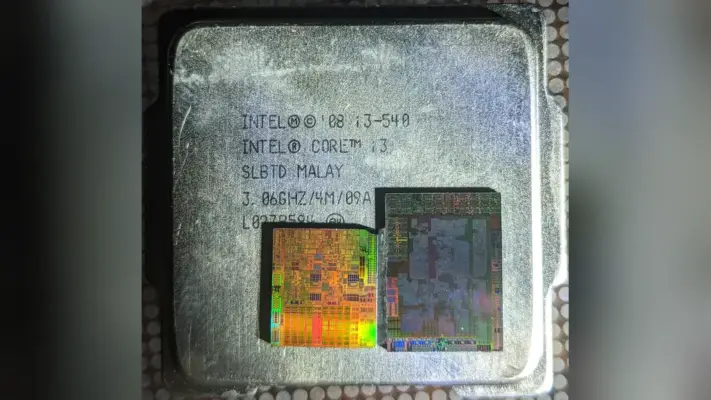
In practical use scenarios, the performance of a top-tier processor like the Intel Core i9-10900 goes beyond a mere list of specifications. It is necessary to analyze how the architecture performs under varied and intense workloads. For a deeper study, it is useful to consult the specifications and performance of the Core i5-13400. Whether in the world of gaming, which demands consistently high frame rates, or in the professional environment, which requires complex parallel processing, a high-performance processor’s capability must be tested across its diverse applications.
Multitasking Performance and Professional Productivity
For professionals, performance bottlenecks are usually not caused by a single task, but rather by the need to run multiple activities simultaneously. This is where a high core count becomes a critical differentiator. Tasks such as 3D rendering, which processes complex models in parallel, or high-resolution video editing, require the processor to distribute the workload across multiple cores. The higher the number of cores and threads, the more efficiently the i9-10900 can manage this demand, minimizing wait times and optimizing workflow.
Similarly, software development and code compilation are processes that benefit enormously from multitasking capability. Compiling a large project, for example, is a process that scales directly with available processing power. The Core i9-10900, designed for the premium segment, was built precisely to absorb these demanding requirements, ensuring that the system does not present bottlenecks even when running multiple heavy programs at the same time.
Gaming and Frame Rates (FPS)
In the context of gaming, performance is measured by the frame rate (FPS) and the stability of those rates. Although modern games utilize various optimization technologies, they still benefit from processors with high clocks and robust cores. The i9-10900, with its elite architecture, is capable of sustaining a high FPS, ensuring that the gaming experience is fluid and immersive. The combination of a 2.8 GHz base clock with advanced *boost* technologies allows the processor to maintain the necessary pace for high-fidelity graphics in real time.
In summary, the i9-10900 is not just a processor with an impressive set of numbers; it is an engineering solution that balances raw power and efficiency. It ensures that the user, whether an enthusiastic gamer or a professional content creator, can extract maximum performance, maintaining high performance in any scenario, from code compilation to 4K video playback.
The i9-10900 Today: Comparison and Upgrade
The i9-10900, released in April 2020, is still a processor that deserves attention in the enthusiast market. However, the answer to the question “Is it still worth it?” is not a simple yes or no; it fundamentally depends on the user’s usage profile and existing hardware infrastructure. Although the i9-10900 is a component designed for enthusiasts, it represents a significant generational leap that requires careful evaluation of the entire platform.
The Reality of a Platform Upgrade
It is crucial to understand that when considering the i9-10900, the user is not just buying a processor; they are investing in an ecosystem. The i9-10900 was designed to operate with the DDR4 memory standard. This places it at a technologically more advanced level compared to previous generations. If the user is still using older platforms, such as those supporting DDR3 (like Ivy Bridge models on LGA 1155, which supported up to 1600 MT/s, or Haswell on LGA 1150), simply swapping the processor will not be enough. It will be mandatory to update the motherboard to a chipset compatible with the 10th generation and, almost certainly, acquire DDR4 RAM, in addition to considering upgrading the cooler and possibly the power supply, given the premium nature of the processor.
Comparing Generations and Technological Advancement
To gauge the performance leap, it is useful to draw a historical parallel. Previous generations, such as the Core i (3rd gen) Ivy Bridge-DT, operated on LGA 1155 sockets and used DDR3, with a DMI 2.0 bus. Haswell-DT processors (4th gen), despite advancing to PCIe 3.0, were still limited by this memory and bus architecture. The i9-10900, in turn, incorporates advances that set it apart. It not only maintains robust communication capability but also benefits from more modern architectures, making it significantly more powerful in productivity and multitasking scenarios compared to these older models. The transition from DDR3 to DDR4, combined with architectural advancements, justifies the need to migrate the entire platform.
For Whom is the i9-10900 Still Relevant?
In summary, the i9-10900 is an excellent option for those seeking premium performance and needing a robust system for demanding tasks, such as software development, video editing, or streaming, and who, most importantly, already own or are willing to build a recent DDR4 platform. However, if the budget is limited or if the user is tied to an older DDR3 platform, the total cost of the upgrade (processor + motherboard + RAM) might make using the processor unfeasible. In such cases, it would be wiser to evaluate options for processors from more recent generations that maintain compatibility or offer a more balanced cost-benefit ratio in terms of the platform.
Frequently Asked Questions
Is the Intel Core i9-10900 still good for gaming in 2024?
The i9-10900 is capable of sustaining high frame rates due to its premium architecture and boost technologies. However, the text suggests that the upgrade decision depends on the usage profile and a careful evaluation of the entire platform, as it represents a generational leap that requires analysis.
What is the difference between TDP and the actual power consumption of the i9-10900?
TDP (Thermal Design Power) is the parameter that indicates the amount of heat the cooling system must be able to dissipate under normal workload. It does not represent the processor’s maximum consumption, but rather the basis for thermal design, guiding the need for a robust cooling system.
Does the i9-10900 require DDR3 or DDR4 RAM?
The i9-10900 was specifically designed to operate with the DDR4 standard. The platform supports dual-channel memory and is optimized for RAM speeds that can reach up to 2933 MT/s, ensuring high performance in demanding scenarios.
What do ‘cores and threads’ mean in a processor?
Cores are the physical processors that execute tasks. Threads are the virtual workflows that allow the processor to execute a large number of tasks simultaneously. This combination is fundamental for complex multitasking and heavy productivity, such as 3D rendering.
Do I need to change the motherboard to use the Core i9-10900?
The processor uses the LGA 1200 socket. This standard guarantees compatibility with a varied chipset ecosystem, including B460, H470, Q470, and others. Therefore, physical compatibility is ensured by this socket, allowing for system customizations.
Conclusion
The Intel Core i9-10900 establishes itself as a premium performance processor, designed for users who do not accept compromises in high-demand tasks. With its robust combination of 8 cores and 16 threads, and powered by advanced technologies like Turbo Boost 3.0, it guarantees essential simultaneous processing capability for 4K video rendering, running complex virtual machines, and top-tier gaming sessions.
Its power is not limited only to the clock speeds. The 10th generation architecture, based on 14 nanometers, is complemented by a cutting-edge connectivity infrastructure, offering 16 PCIe 3.0 lanes and a DMI 3.0 bus. Cache optimization, which minimizes data access latency, combined with the 65W TDP, balances high performance and energy efficiency, requiring only a robust cooling system to operate at its maximum potential with DDR4 memory.
Ultimately, the i9-10900 represents an investment in reliable and versatile computing power. By understanding how each specification—from the cores to the PCIe lanes—contributes to the overall experience, you will be equipped to build a truly professional machine. Analyzing your workflow needs is the most important step before making your purchase decision.