Read this article in: Portuguese (Português) · Spanish (Español)
The Intel Core i9-14900 is one of the most powerful and advanced desktop processors currently available, representing the pinnacle of Intel’s computing engineering. If you want to know the complete specifications of this high-performance chip, you will find a detailed guide here that demystifies every technical detail. It is designed for users and professionals who demand maximum processing power, whether for complex 3D rendering tasks, 8K video editing, or running games with extremely high frame rates. Understanding the i9-14900 means diving into a machine capable of optimizing the most demanding workflow.
The evolution of the Core line, which has gone through iconic generations such as the Core 2 (Duo/Quad) and Core i7 architectures, shows constant advancement in terms of efficiency and power. Historically, the market has seen significant advancements, such as transitions in manufacturing processes and the introduction of technologies like SSE4.1, which drastically improved performance in various applications. Staying updated with cutting-edge processing power, like that offered by the i9-14900, is essential for anyone who cannot afford bottlenecks in their equipment, ensuring that the hardware keeps pace with professional development and gaming.
In this article, we trace the complete path for you to master the i9-14900. We will start with an overview and detailed look at its technical specifications, explaining the meaning of every architectural number. Next, we will analyze its practical performance in real-world scenarios, such as gaming, rendering, and advanced productivity. Finally, we will provide a robust comparison with previous generations and competitors, helping you determine if this processor is indeed the ideal component for your high-end setup.
Key Highlights
- It is a top-tier performance processor, ideal for those who demand the peak of computing and accept no compromises.
- It uses a hybrid architecture with P-cores (raw power) and E-cores (energy efficiency).
- It was built with the Intel 7 process, ensuring miniaturization and power efficiency.
- It has a high TDP, which mandatorily requires robust and advanced cooling solutions.
- It supports DDR5 and 16 lanes of PCIe 5.0, ensuring bandwidth for top-tier peripherals.
Overview of the Intel Core i9-14900
Overview of the Intel Core i9-14900
The Intel Core i9-14900 is not just another processor; it represents the pinnacle of Intel’s modern computing engineering and what is most advanced in terms of processing capability for the desktop market. Belonging to the Raptor Lake Refresh family, this chip is unequivocally positioned in the top-tier performance segment, designed for users who refuse to compromise and who demand the best in any task, whether it’s complex software development, rendering high-resolution videos, or gaming at extremely high frame rates. If you are looking to compare it with processors from previous generations, you can check out the full specifications for the Intel Core i7-11700F.
📘 Throughput
In terms of processing, throughput refers to the maximum rate of data transfer that a system can process over a given period. It is a crucial metric for understanding the raw working capacity of the hardware.
It is essential to understand that, to achieve this level of power, the Core i9-14900 is a high-consumption processor. It is a brute-force machine, built to deliver the maximum possible data throughput. Its performance is the result of decades of architectural evolution, a leap that drastically sets it apart from previous generations. The history of the Core line, seen in examples of processors manufactured using processes like 22 nm or 45 nm, shows a continuous path of refinement and increased capacity. Every advancement, such as the inclusion of more robust instruction sets (like AVX or SSE4.2), was crucial for current processors to handle the growing complexity of modern software.
The Performance Leap and Professional Focus
What the i9-14900 offers in terms of performance is more than just more cores; it is a complete architectural optimization for heavy workloads. It is the ideal brain for the professional who depends on the machine for their livelihood and for the enthusiast seeking a top-tier experience. If we compare the processing power of older models, which operated on platforms with different capabilities—such as those that only supported dual-channel DDR3 or used wider manufacturing processes—the advancement is evident. Today, the focus is on maintaining peak performance even in tasks that require processing large volumes of data, something the i9-14900 executes with brutal efficiency.
Therefore, when looking at this chip’s specifications, it is not just about numbers on a datasheet. It is about equipment that consolidates processing power into a single package, intended for those who demand maximum performance in a high-demand ecosystem. It is the engine for those who need their workstation to never stop and for those who demand flawless entertainment, with no performance bottlenecks in any scenario.
Architecture and Manufacturing Process
The architecture of the Intel Core i9-14900 represents a significant leap in processing paradigms, and understanding its operation requires the reader to grasp the concept of hybrid architecture. Far from being just an increase in core count, the power of this processor lies in the synergy of different core types: the P-cores (Performance-cores) and the E-cores (Efficiency-cores). To better understand this evolution, it is useful to check out the guide on Intel Core i9-13900 specifications. This combination is not a mere addition, but an intelligent orchestration of resources designed to handle a wide range of workloads, from simple browsing tasks to complex 3D renderings.
The Synergy Between P-cores and E-cores
To understand the value of this architecture, it is helpful to differentiate the roles of each core. The P-cores are the system’s “power engines.” They are optimized to deliver maximum raw power when the processor needs peak performance, such as in high frame rate gaming or running heavy calculations. They are designed for peak performance.
In contrast, the E-cores are the “power managers.” They are designed with primary focus on energy efficiency. Their function is to handle background tasks, such as running operating systems, processing notifications, or keeping background processes active, while consuming significantly less energy. By dividing these responsibilities, the i9-14900 can maintain robust performance in intensive tasks without the P-cores having to operate at maximum capacity all the time, which would be extremely costly in terms of energy.
The result of this division is complete optimization: the processor can deliver raw power where it is needed, while managing energy consumption in a disciplined manner for less critical tasks. It is this ability to switch between maximum power and maximum efficiency that raises the performance bar without sacrificing thermal and energy management.
Advances in the Manufacturing Process
Behind this complex architecture lies an equally crucial component: the manufacturing process. The i9-14900 was built using the Intel 7 process. Technically speaking, the manufacturing process defines how small and dense a transistor can be, directly determining the energy consumption and the power the chip can deliver. Every advance in a manufacturing process, like Intel 7, allows computing engineers to fit more transistors and functionalities into a smaller physical space without resulting in a disproportionate increase in energy consumption.
In summary, combining the Intel 7 process—which ensures miniaturization and efficiency—with the hybrid architecture of P-cores and E-cores—which ensures intelligence in task management—positions the i9-14900 as a milestone in processor engineering. It not only offers high numbers on a datasheet but a complete solution of performance and efficiency, ideal for the user who demands the utmost in any usage scenario.
📊 Difference Between P-cores and E-cores
| Core Type | Primary Function | Optimization |
|---|---|---|
| P-cores (Performance-cores) | Delivering maximum raw power | Peak performance (heavy tasks, gaming) |
| E-cores (Efficiency-cores) | Power management and background tasks | Energy efficiency (OS, notifications) |
Detailed technical specifications: what the numbers mean
To understand the raw power of the Intel Core i9-14900, it is essential to look beyond simply reading a datasheet. Technical specifications are a set of numbers that define the physical capacity and energy behavior of the processor. Parameters like the number of cores, maximum clock speed, cache size, and TDP are not just labels; they represent processing potential, multitasking efficiency, and the chip’s power draw.
Unraveling the performance parameters
The Total Core Count (P-cores + E-cores) indicates the chip’s parallel processing capacity. Each core is an independent processing unit, and the more cores, the more tasks the processor can execute simultaneously. Threads, on the other hand, determine the number of instruction streams the processor can handle at once; a high thread count is crucial for professional applications that process large volumes of data, such as 3D rendering or video editing. The Max Clock (GHz) establishes the processor’s maximum operating speed, indicating how fast each core can execute an instruction. Finally, the L3 Cache acts as ultra-fast memory embedded in the chip itself, storing frequently accessed data. A larger cache allows the processor to access information without having to wait for RAM, which is vital for performance under heavy workloads.
The meaning of TDP and power management
One of the most critical and often misunderstood parameters is the TDP (Thermal Design Power). This value is not the processor’s absolute maximum consumption, but rather the maximum amount of heat the cooling system must be able to continuously dissipate to keep the chip operating within safe temperatures. The i9-14900, being a high-performance processor, has a high TDP, which implies that it generates a significant amount of heat. This high energy demand absolutely requires robust cooling solutions, such as water coolers or advanced dissipation systems, to prevent overheating and subsequent performance reduction (thermal throttling).
In contrast, processors designed for laptops or low-power platforms feature drastically reduced TDPs. While a low-power chip is ideal for energy efficiency and compact platforms, it sacrifices raw power compared to a high-TDP processor. Thus, the i9-14900’s TDP signals that it was designed for maximum performance in an environment that can handle the associated consumption and heat. It is this combination of high processing capability (P+E cores) and high energy demand (high TDP) that establishes the Core i9-14900 as an extreme performance machine, aimed at those who demand the peak of modern computing.
📌 Unpacking the Key Terms of the i9-14900
- Total Cores (P+E): Parallel processing capacity; the more, the more simultaneous tasks.
- Threads: Manipulable instruction streams; crucial for video rendering and editing.
- Max Clock (GHz): Maximum operating speed; indicates the speed at which each instruction is executed.
- L3 Cache: Embedded ultra-fast memory; reduces waiting time for data from RAM.
- TDP (Thermal Design Power): Maximum heat the cooling system must continuously dissipate.
Performance in gaming, rendering, and productivity
Analyzing the Intel Core i9-14900 in real-world usage scenarios requires looking beyond a mere list of technical specifications. The processor’s true power manifests in how it manages and delivers resources under complex workloads. Whether in a game that demands millisecond responses or in a production workflow that requires massive processing, the i9-14900’s architecture was designed to optimize performance across different domains; to better understand the foundation of a modern system, it is worth checking out the guide on the Intel Core i5-12400F for building a modern PC.
Performance in gaming and rendering
In gaming applications, the focus is on high per-core processing performance, known as IPC (Instructions Per Cycle). This is where P-cores (Performance-cores) shine. These cores are optimized to run tasks that demand raw power on a single execution thread. Furthermore, the 80 KB L1 cache per P-core, combined with the 2 MB L2 cache per core (on i5-14600/T/K/KF models and above), ensures that the most critical data is accessible with minimal latency, which is crucial for maintaining high and fluid frame rates. This robustness in high-speed tasks is what defines the modern gaming experience.
🧪 How the i9-14900 handles different workloads
In games, the focus is on the high per-core performance (IPC) of the P-cores, ensuring fluidity in every frame. In contrast, rendering relies on parallel processing, where the E-cores distribute the workload across multiple threads. This combination, supported by DDR5 and PCIe 5.0, allows the processor to handle both peak speeds and continuous data streams.
Productivity and Task Parallelism
Unlike the speed demands of a game, productivity tasks, such as video rendering, code compilation, or heavy multitasking, depend on parallel processing capability. This is where the massive core count becomes the determining factor. The E-cores (Efficiency-cores) complement the P-cores, allowing the processor to distribute work across numerous threads. The large parallel processing capacity, supported by the hybrid architecture, allows the i9-14900 to absorb and process large volumes of data simultaneously. The E-core clusters, each with a 4 MB L2 cache, ensure that background processing remains robust without compromising primary performance.
Connectivity and Memory Infrastructure
A top-tier processor cannot be evaluated without considering the ecosystem that supports it. The i9-14900 is designed to operate on modern platforms that support DDR5-5600 memory, an essential advancement for feeding the data flow required by such powerful cores and caches. Furthermore, high-speed connectivity is guaranteed by 16 lanes of PCIe 5.0. This support is not just a technical detail; it ensures that top-tier peripherals, such as graphics cards and latest-generation SSDs, receive the necessary bandwidth to operate at their maximum potential without creating data bottlenecks.
In summary, the gaming and productivity performance of the Core i9-14900 is the result of sophisticated orchestration: the peak speed of the P-cores for critical moments, the vast parallel capacity of the E-cores for continuous work flow, and a memory and connectivity infrastructure (DDR5 and PCIe 5.0) that supports this raw power without limitations.
Comparison with Previous Generations and Competitors
Comparison with Previous Generations and Competitors
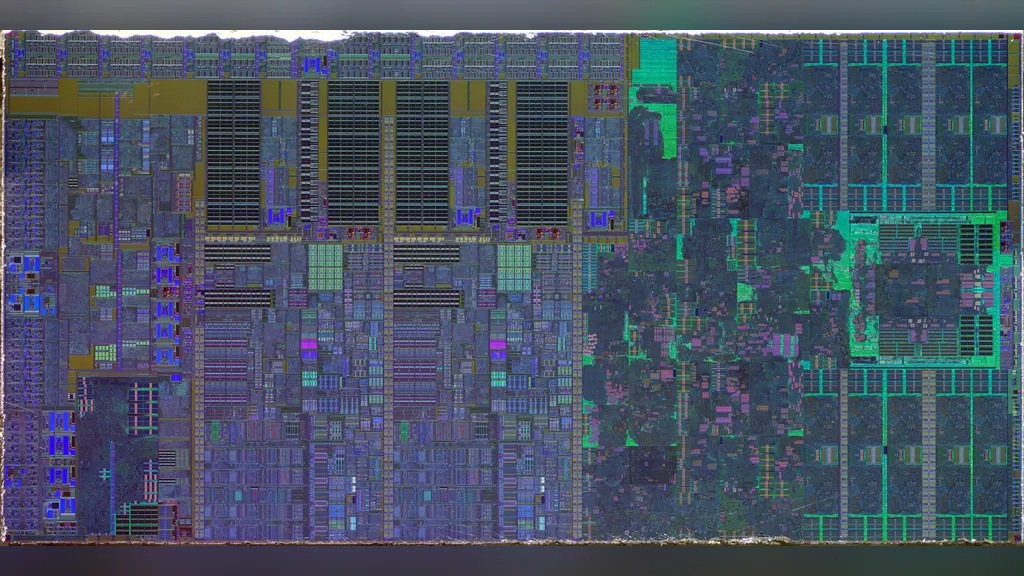
To understand the level of the Intel Core i9-14900, it is essential to draw a technological timeline. The evolution of processors is not just a matter of clock speed increase, but an exponential leap in manufacturing process and architectural efficiency. By revisiting older models, such as the “Conroe” series, manufactured on 65 nm and operating at 1066 MT/s, or even the “Sandy Bridge-DT” on 32 nm, one can notice the advancement the industry has achieved. This trajectory of miniaturization—passing through 22 nm, as seen in previous generations—demonstrates a continuous effort to increase transistor density and, consequently, processing power. Each generation not only improves the number of cores but also optimizes power consumption, a critical factor that justifies investing in top-tier platforms.
The Evolution of the Ecosystem and Chipsets
The performance of a flagship processor cannot be assessed in isolation; it depends on the ecosystem that supports it. This interdependence is clear when comparing historical platforms. Second-generation processors, like the “Sandy Bridge-DT,” used the LGA 1155 socket and supported, for example, 16 lanes of PCIe 2.0. Subsequent generations, such as the fourth generation (“Haswell-DT”) on the LGA 1150 socket, raised the connectivity standard, beginning to offer 16 lanes of PCIe 3.0. This progression in I/O and the need to support increasingly fast standards forces the evolution of chipsets, such as the Z790, ensuring that the motherboard can power and communicate the full potential of the high-power processor.
This historical progression, from LGA 1155 to LGA 1150 and finally to modern platforms, illustrates that the Core i9-14900 is not just a speed advancement, but the culmination of decades of engineering. When we compare the i9-14900 not only with its predecessors (which already incorporated hybrid architecture and the Intel 7 process) but also with the main competitors in the market, the result is a performance that redefines the concept of cost-benefit in maximum performance. Raw power combined with energy efficiency is what justifies positioning this chip as a top-tier piece of equipment.
In summary, the leap represented by the i9-14900 is the convergence of massive parallel processing and extremely sophisticated power management. It capitalizes on all the technological learning accumulated since the 65 nm chips, delivering multi-tasking and per-core processing capability that sets a new benchmark for the high-performance computing market.
For whom is the Core i9-14900 ideal today
The Intel Core i9-14900 is not a processor for the casual user. It represents the peak of performance in Intel’s desktop lineup, so the ideal audience for acquiring and using this machine is composed of Power Users and PC enthusiasts who do not compromise on speed and processing capability. This is a chip designed for those who demand the most and are not concerned with managing power consumption in exchange for unmatched performance.
Who the i9-14900 is ideal for
If your work or hobby involves tasks that saturate processing for long periods, this processor is a perfect fit. It is the natural choice for:
- Professional Content Creators: 4K or 8K video editors, 3D animators, and artists who use heavy rendering software (such as Blender or Adobe Premiere Pro). Massive parallel processing capability is crucial for drastically reducing rendering times.
- Software Developers and Engineers: Professionals who compile complex code, run engineering simulations, or work with demanding virtual machines. The stability and high core count ensure that the workflow is not interrupted by processing bottlenecks.
- High-Performance Enthusiasts: Users who build PCs for maximum gaming performance but also use the system for extreme multitasking, running streaming, editing, and gaming simultaneously.
It is essential to understand that the Core i9-14900 operates at a high power consumption level. The raw performance it offers is directly proportional to the heat it generates. Therefore, when considering this processor, an absolutely critical point of attention is the cooling system. This is not a component that can be supported by conventional air coolers or low-capacity cooling solutions.
To extract the maximum potential from the i9-14900 and ensure it maintains its peak frequencies during prolonged sessions of work or intense gaming, it is mandatory to invest in a robust cooling system. The use of a high-performance Water Cooler is recommended without exception. Ignoring this necessity will not only limit the processor’s performance (a phenomenon known as thermal throttling), but will also compromise the stability and durability of the entire system.
In summary, the i9-14900 is the brain of a high-end workstation or gaming PC. It demands a compatible and robust ecosystem, and its performance is a direct reflection of the rest of the hardware’s ability to support its energy and thermal demands.
Glossary
- P-cores (Performance-cores): Cores optimized to deliver raw power and maximum performance in tasks that require top speed.
- E-cores (Efficiency-cores): Cores focused on energy efficiency, ideal for handling background tasks while keeping power consumption low.
- TDP (Thermal Design Power): The maximum amount of heat the cooling system must be able to continuously dissipate to keep the chip safe.
- IPC (Instructions Per Cycle): Measures the processor’s efficiency, indicating how many instructions it can execute per clock cycle.
- DDR5: An advanced RAM standard that provides greater bandwidth to feed the processor’s data flow.
- PCIe 5.0: A high-speed connectivity interface that ensures peripherals, such as graphics cards, receive maximum bandwidth.
Frequently Asked Questions
Which motherboard is compatible with the Core i9-14900?
This processor is intended for modern, high-demand platforms. To ensure peak performance and support its high power draw, it is essential to use motherboards designed for high TDPs and the latest connectivity standards.
Does this processor consume a lot of power and require special cooling?
Yes, it is a high-consumption processor with a high TDP. This means it generates a significant amount of heat, mandating robust cooling solutions, such as water coolers or advanced dissipation systems, to maintain optimal performance.
Is the i9-14900 better for gaming or for professional work (video editing)?
It is optimized for both scenarios. Gaming benefits from the P-cores for high single-core performance, while professional tasks, like video rendering, rely on the massive parallel processing capability offered by the hybrid architecture.
Do I need to upgrade the RAM when using this processor?
To take advantage of the data flow required by its powerful cores, it is highly recommended to use modern platforms that support DDR5 memory. This ensures the system has the necessary bandwidth to feed high-speed processing.
Is the i9-14900 a good investment for someone building a PC from scratch?
It is an extreme performance investment, ideal for users who refuse to compromise and who depend on the machine for their livelihood. It is the choice for those seeking the maximum in a high-demand ecosystem.
Conclusion
The Intel Core i9-14900 transcends a mere list of technical specifications. It represents an engineering milestone that harmonizes raw power with unprecedented energy management intelligence. The true genius of this processor lies in its hybrid architecture of P-cores and E-cores, which allows the system to deliver maximum power when needed while maintaining operational efficiency in background tasks, all supported by the Intel 7 process miniaturization. It is this synergy that elevates the performance standard, transforming it into a complete engine for high-demand ecosystems.
For the professional who relies on peak performance in complex renderings or for the enthusiast seeking the pinnacle of gaming experience, the i9-14900 is the benchmark for raw power. It ensures that performance bottlenecks are minimized in almost any use case, delivering data throughput that is essential for those who refuse to compromise. Analyzing its core, thread, and cache capabilities is understanding not just the chip’s potential, but the capacity of your workstation to never stop.
Ultimately, the Core i9-14900 solidifies a level of excellence in the desktop market, making it a piece of equipment destined for technological vanguard. It is proof that peak performance and energy efficiency can coexist. Now that you understand the power of this processor, the next step is to evaluate how it fits into the rest of your system, optimizing every component to extract the maximum possible performance.