
Read this article in: Portuguese (Português) · Spanish (Español)
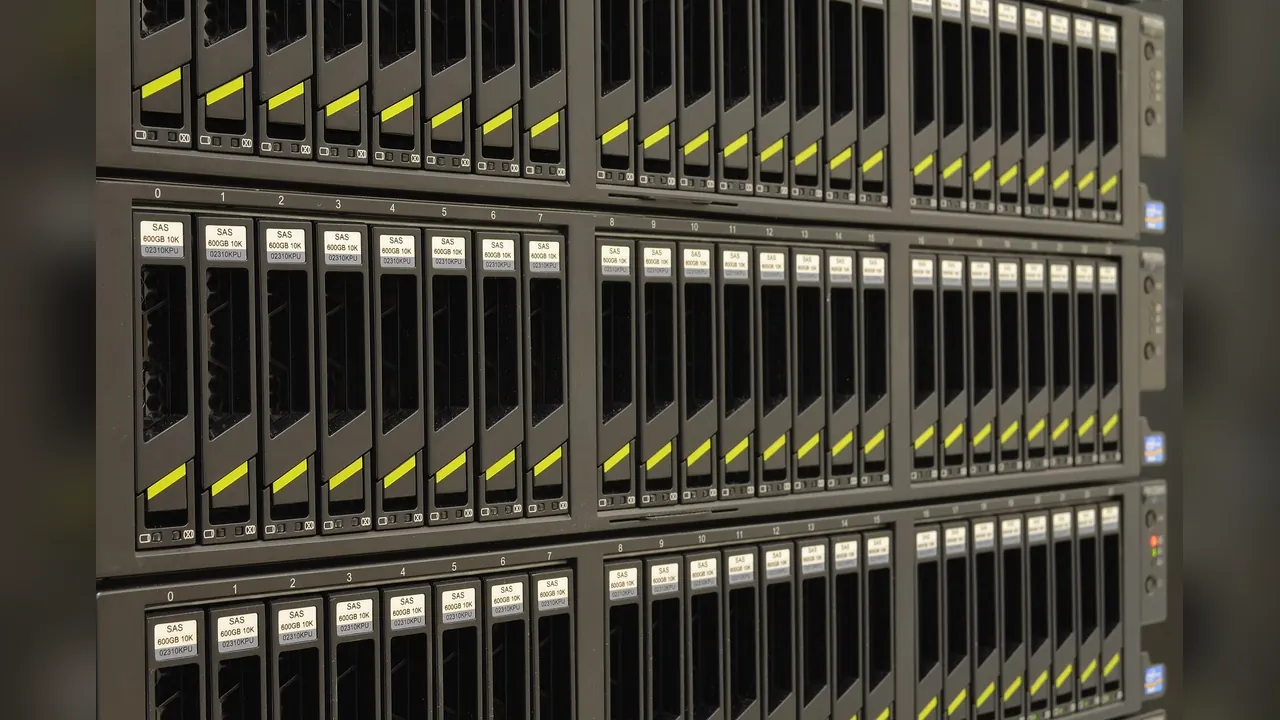
To understand how to create a RAID, it is essential to know that the process involves coordinating two or more storage devices into a single logical volume, rather than using a single hard drive. Creating a RAID requires defining a level (or level), which will determine how the data is distributed and, most importantly, what level of redundancy the system will offer. This process can be managed by dedicated hardware (RAID controllers) or by software, depending on your operating environment and desired complexity. Choosing the correct method and level is the first step to ensuring data performance and integrity in critical environments.
The relevance of RAID is proven by its long history and evolution. The concept was coined in 1987 by David Patterson, Garth Gibson, and Randy Katz, culminating in a paper presented in 1988. Originally aimed at high-capacity and high-availability storage systems in mainframes, RAID adapted and became an indispensable technology in various environments, from personal computers to database and web servers. It revolutionized the way data is stored, offering techniques such as data striping and mirroring to drastically increase fault tolerance and read/write efficiency.
In this comprehensive guide, we will uncover all the aspects so you know exactly how to implement this technology. We will detail what RAID is and why it is essential for servers, comparing hardware versus software implementation. Next, we will conduct an in-depth analysis of the different RAID levels, helping you choose the ideal configuration for your needs. Finally, we will guide you through a practical step-by-step process to create a RAID array on different systems, covering everything from data maintenance to mitigating common issues.
Key Points
- RAID is a method that uses multiple disks to create a single logical volume, balancing security and performance.
- RAID 0 maximizes speed using striping, but offers no data redundancy.
- RAID 1 uses mirroring, duplicating data to ensure high security against disk failures.
- Parity is a block of data calculated mathematically that allows the recovery of lost information after a failure.
- The choice between Hardware RAID (dedicated controllers) and Software RAID (OS) depends on cost and the need for maximum performance.
What is RAID and why is it essential for servers?
The RAID system, which stands for Redundant Array of Independent Disks, is a fundamental technology in the data storage universe, especially in mission-critical server environments. Simply put, it is not a type of disk, but rather a method that uses multiple hard drives or solid-state drives (SSDs) working together to create a single logical volume. The main goal of RAID is to balance two critical requirements of a modern server: ensuring maximum data security (redundancy) and maximizing read and write performance (speed); for those interested in visual and technical optimizations, it is worth checking how to create perfect Haze Pieces.
How RAID Works in Practice
The power of RAID lies in its ability to abstract the complexity of several physical devices into a coherent storage unit. To achieve increased speed, RAID employs the technique of data striping, also known as data striping (or RAID 0). In this mode, consecutive segments of logical data are distributed and stored across different physical storage devices simultaneously. This allows the system to load large amounts of data in parallel, dramatically accelerating response time. On the other hand, to ensure security, the most straightforward method is mirroring, or mirroring (RAID 1). Here, the logical volume is physically duplicated; that is, the data is written to two or more disks simultaneously. If one disk fails, the system continues to function perfectly because an exact copy of the data is available on another device.
To combine speed and security, RAID incorporates more sophisticated mechanisms, such as the use of parity data. Parity is a block of data calculated mathematically (often using the XOR operation) that stores redundant information about the original data. This increases fault tolerance, allowing the system to recover lost information even if a disk fails, without the need to mirror all the data. For advanced configurations, there is RAID 6, which uses more complex calculations, incorporating addition and multiplication in a specific Galois field or the Reed–Solomon error correction algorithm.
In addition to traditional methods, the technology has adapted to new media. For example, it is possible to implement hybrid RAID, which combines a fast SSD with a slower mechanical hard drive. For this configuration to be effective in terms of performance, an appropriate controller is required that uses the fast SSD specifically for all read operations. It is important to note that RAID is not limited to hard drives; it can be configured with SSDs, providing data security without requiring the cost of an entirely solid-state drive system.
📊 RAID Mechanism Summary
| Method | How It Works | Primary Goal | Use Case Example |
|---|---|---|---|
| RAID 0 (Striping) | Distributes data across multiple disks simultaneously. | Increase performance (speed). | Loading large volumes of data in parallel. |
| RAID 1 (Mirroring) | Duplicates data across two or more disks. | Ensure safety (redundancy). | The system continues to function if one disk fails. |
| Parity | Uses a mathematically calculated data block (XOR). | Increase fault tolerance without duplicating everything. | Recover lost information with a disk failure. |
| Hybrid RAID | Combines fast SSD with mechanical hard drive. | Optimize performance and cost. | Requires a controller that uses the SSD for reads. |
Hardware Versus Software: Choosing the Implementation Method
The decision between using hardware-based or software-based RAID is perhaps the most critical point in implementing a mission-critical storage solution. Both methods aim for the same goal—abstracting multiple physical disks into a cohesive logical volume—but they present significant differences in terms of cost, performance, complexity, and operating system (OS) compatibility.
Hardware Versus Software: Choosing the Implementation Method
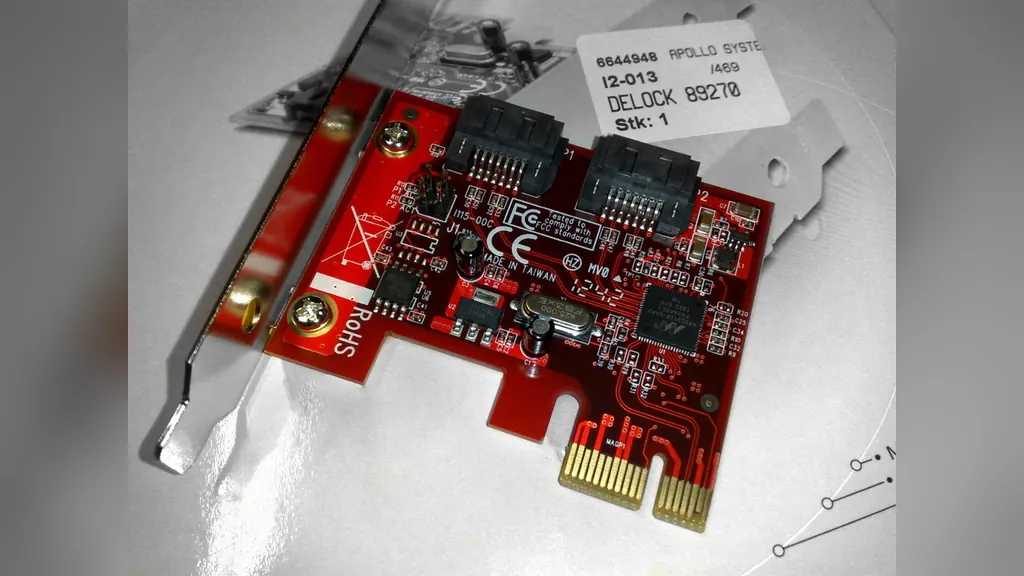
Hardware RAID uses dedicated controllers, which are expansion cards typically configured through the BIOS or Option ROM, even before the operating system loads. This method is known for its robustness and predictable performance because the array processing is dedicated to the controller chip. However, this robustness comes with high costs and, historically, a challenge known as vendor lock-in. Each controller manufacturer generally provides proprietary configuration tools, making the system dependent on that brand’s ecosystem. For example, in environments like FreeBSD, accessing the configuration of Adaptec controllers may require enabling Linux compatibility layers, which can compromise the environment’s long-term stability and security.
Conversely, Software RAID is implemented directly by the operating system or an advanced file system. This approach is notably more cost-effective and flexible. Several modern operating systems adopt this abstraction layer. In Linux, the md module supports a wide range of levels, including RAID 0, 1, 4, 5, and 6, as well as their combinations. ZFS, an advanced file system, supports RAID 0, RAID 1, RAID 5 (called RAID-Z1), RAID 6 (RAID-Z2), and even RAID-Z3 equivalents, integrating parity protection directly at the file system level. Other examples include OpenBSD’s softraid and LVM (Logical Volume Manager) on various platforms.
Despite its flexibility, Software RAID can present performance limitations or, more critically, may not be fully compatible with the system’s boot process, making it impractical for desktop versions of Windows, for example. However, modern operating systems and file systems have mitigated these concerns. While some systems, like OpenBSD, have developed generic frameworks (such as the bio(4) pseudo-device in 2005) to monitor and control array status without rebooting, the complexity of configuration and maintenance still requires in-depth knowledge of the chosen environment.
In summary, the choice must weigh budget against the need for control. If maximum performance and mitigation of boot failures are absolute priorities, Hardware RAID might be the way to go. However, if flexibility, cost-effectiveness, and native integration with the file system (like ZFS) are more important, Software RAID offers powerful and constantly evolving solutions, making it a robust alternative for most modern server environments.
✅ Advantages
- Hardware RAID: Robustness and predictable performance from dedicated processing.
- Hardware RAID: Ideal when maximum performance and mitigation of boot failures are priorities.
- Software RAID: More affordable and highly flexible.
- Software RAID: Offers native integration with advanced file systems (e.g., ZFS).
❌ Disadvantages
- Hardware RAID: High cost and risk of vendor lock-in.
- Hardware RAID: May require proprietary configuration tools.
- Software RAID: Can present performance limitations.
- Software RAID: Configuration complexity requires in-depth knowledge.
Understanding RAID Levels: Choosing the Ideal Configuration

Choosing the correct RAID level is the pillar of any mission-critical storage implementation. There is no universally “best” configuration; the ideal one depends directly on the balance you need to strike between access speed, data safety (fault tolerance), and total storage capacity. To understand this complex relationship, it is crucial to analyze the most common levels, which use different data distribution mechanisms, such as striping and parity.
RAID Levels and Their Trade-offs
RAID 0, for example, uses block striping and is focused on speed. Its major benefit is that the read and write throughput is multiplied by the number of disks, as operations are performed concurrently. However, the cost is the total lack of redundancy: the failure of any single disk in the RAID 0 array renders the entire volume unusable, and data is usually lost, making it unfeasible for scenarios requiring reliability.
In contrast, RAID 1 uses data mirroring, writing the information identically to two or more disks. This level offers high safety because the array remains operational as long as at least one disk works. Although reading can be fast, write performance is always limited by the slowest disk, as all disks must be updated simultaneously.
When the focus is on a balance between safety and capacity, RAID 5 and RAID 6 come into play. RAID 5 uses block striping with distributed parity. Unlike other configurations, the parity information is spread across all disks (except one), and it requires a minimum of three disks. If only one disk fails, subsequent data can be recalculated from the distributed parity, preventing data loss. However, it must be considered that the reconstruction process after a failure can be risky, increasing the chance of a secondary failure.
For environments dealing with large-capacity disks, RAID 6 is the recommended level. It uses distributed double parity block striping. This dual protection provides fault tolerance for up to two disks. This feature makes RAID 6 particularly useful and more practical in larger RAID arrays, as it mitigates some of the failure issues that can occur during the long rebuild time of larger volumes. In summary, the larger the disk size and the array, the more important it is to migrate from RAID 5 to RAID 6, or to consider RAID 10, which minimizes these rebuild issues.
📌 Summary of RAID Levels and Their Focuses
- RAID 0: Focus on speed, uses striping, no redundancy.
- RAID 1: Focus on safety, uses mirroring, great for high availability.
- RAID 5: Balance, uses distributed parity, tolerates one disk failure.
- RAID 6: High safety, uses double parity, tolerates two disk failures.
- RAID 10: Minimizes reconstruction problems, ideal for large volumes.
Step-by-step guide to creating a RAID array on different systems
Implementing a RAID array requires the system administrator to adopt specific tools, as there is no universal method. The choice of platform—whether it is a Linux server, a Windows Server, or a desktop operating system—determines the set of commands and the graphical interface to be used. It is essential to understand that, in modern operating systems, creating the array is an abstraction process, where several physical devices are presented to the system as a single logical unit.
Linux and Unix-based systems
In the Linux ecosystem, the most robust and widely used tool for creating arrays in software is mdadm. This utility allows configuring levels such as RAID 0, RAID 1, RAID 4, RAID 5, and RAID 6, in addition to supporting various types of nesting. For FreeBSD users, for example, support is provided by the GEOM modules and the ccd tool, while macOS and macOS Server use Disk Utility or the command line interface to create RAID 0, RAID 1, and RAID 1+0 arrays.
📘 RAID Array
A RAID array is a set of multiple physical drives presented to the operating system as a single logical storage unit, aiming to increase performance or redundancy.
Windows Server and Enterprise Environments
In the Microsoft environment, the process can be done through Disk Management or via more advanced features. Historically, the Logical Disk Manager, introduced with Windows 2000, allowed the creation of RAID 0, RAID 1, and RAID 5 volumes using dynamic disks, limited to Professional and Server editions. With evolution, Windows 8 and Windows Server 2012 introduced Storage Spaces, a feature that allows users to configure redundancy (mirroring or parity) at a level of abstraction higher than traditional RAID, simplifying the creation of logical volumes.
Below, we detail the general implementation steps, keeping in mind that each system requires adjustments in the use of administrator or root privileges:
- Identifying Disks: List and verify the available physical devices (e.g.,
/dev/sdb,/dev/sdc). (Reason: To ensure that no active disk is accidentally selected.) - Configuring the Array (Linux): Use
mdadmwith the desired level. For example, for a RAID 5:sudo mdadm --create /dev/md0 --level=raid5 /dev/sdb /dev/sdc /dev/sdd. (Reason: This command initializes the virtual array and distributes the parity data across the disks.) - Creating the Volume (Windows): Open Disk Management and start creating a dynamic volume, selecting the desired redundancy level (RAID 0, RAID 1, or RAID 5). (Reason: The operating system manages space allocation and parity in the background.)
- Checking Integrity: After mounting, run system-specific verification commands (like
mdadm --detailon Linux) to confirm that the array is online and synchronized. (Reason: To confirm that all disks are operational and that the array has achieved full redundancy.) - Formatting and Mounting: Format the new logical volume and mount it to the operating system so that it can be used by the file system. (Reason: To prepare the space for actual data storage.)
In summary, while Linux offers granular control via the command line, Windows Server tends to guide the user through more user-friendly graphical interfaces, but both methods aim for the same goal: creating a robust virtual storage unit capable of absorbing failures of individual components.
Maintenance and Data Integrity: What to Do After Creation

Creating a RAID array is only the first step in a mission-critical storage system. The long-term challenge is not just assembling the volume, but ensuring its continuous integrity. With the exponential growth in disk capacity, the time required to rebuild an array after a component failure has become a significant operational risk. Contrary to what one might think, the increase in rebuild time has not been accompanied by a proportional drop in error rates. During the rebuild process, the risks rise drastically: there is not only the danger of other disk failures, but also the risk of dormant read errors surfacing.
Preventive Maintenance and Data Integrity
To mitigate these growing risks, it is essential for the administrator to adopt preventive practices. One such practice is performing periodic scans, such as what is called data scrubbing. This process involves a complete read of the array, checking block by block for read errors, allowing the system to detect and correct data corruption before it causes a catastrophic failure. Furthermore, it is crucial to monitor the rebuild time (rebuild time) after any failure.
The complexity of the rebuild process varies drastically among RAID levels. Arrays that use mirroring, like RAID 10, have a more limited recovery time because they only require copying a single failed disk. In contrast, parity schemes, like RAID 6, which require copying all blocks from the array’s disks, take longer; this difference in complexity is a critical point of attention in risk management, something that requires meticulous planning, whether in data infrastructure or in combat strategies, such as knowing how to defeat Kel’Thuzad in World of Warcraft.
Historically, the trend of increasing rebuild times and failure probability is a known challenge. A 2006 study by NetApp (Berriman et al.) demonstrated that the chance of failure in a properly implemented RAID 6 decreases by a factor of approximately 3.800 compared to RAID 5. However, administrators must be aware that if current technological trends persist, the failure risk of a RAID 6 in 2019 would be equivalent to the risk of a RAID 5 in 2010. For this reason, choosing advanced levels, such as triple parity schemes or triple mirroring, has been suggested to improve resilience against additional failures during long rebuild periods.
Common Problems and How to Mitigate Data Failures
Creating a RAID array is a fundamental step in increasing the availability and fault tolerance of a system. However, it is crucial to understand that RAID is not an absolute guarantee against data loss. The array recovery process itself, especially after a disk failure, introduces complex risks that must be mitigated by rigorous administrative practices.
Risks During Rebuild and Read Failures
The period of highest risk in any RAID array is during the rebuild process, meaning when a disk fails and the system uses the data from the remaining disks to recreate the volume. A known statistical challenge is Unrecoverable Read Errors (UREs), also called latent sector errors. The increased capacity of disks and the use of large RAID 5 volumes make the maximum read error rate insufficient to guarantee a successful recovery.
In parity-based arrays, such as RAID 5, UREs are particularly dangerous because they affect not only the sector where they occur but also the reconstructed blocks that use that sector for parity calculation. On the other hand, mirroring schemes, such as RAID 1 and RAID 10, present a lower risk of UREs. To mitigate this risk, background data scrubbing processes are recommended, as they detect and recover UREs before they cause catastrophic failures during a rebuild. If you are interested in automation, learning how to create an amazing bot on Discord can be a great complement. It is important to note that some RAID implementation systems may abort the rebuild process upon encountering a URE, while others attempt to continue.
Power Issues and Write Caching
Another critical point is the reliability of the write cache. Devices that use a write-back cache are designed to report data as written as soon as it arrives in the cache, not when it is written to nonvolatile storage. If the system experiences a power loss or another major failure, the data contained in this cache can be irrevocably lost before reaching the main disk. To circumvent this vulnerability, it is essential that write-back cache implementations use redundancy mechanisms, such as a battery backup unit (BBU), which ensures the preservation of cache content during power failures and the safe flushing of data upon system restart.
The Golden Rule: Offsite Backup
In summary, the system administrator should view RAID as a layer of protection against hardware failures, not as a backup solution. RAID protects against the failure of one or more disks; it does not protect against human error, natural disasters, or logical software failures. Therefore, the most critical and non-negotiable mitigation for any mission-critical environment is the adoption of an offsite backup policy, following the principle that backup is a method of data loss prevention that operates at a completely different level than RAID.
Glossary
- Parity: A mathematically calculated block of data that stores redundant information for data recovery after failures.
- Hybrid RAID: A configuration that combines mechanical hard disk drives (HDDs) and solid-state drives (SSDs) to optimize speed and capacity.
- Vendor lock-in: Dependence on a specific vendor’s system or software, making it difficult to migrate to other brands.
Frequently Asked Questions
What is the difference between RAID and backup?
RAID is a hardware or file system level technology that protects the array against the failure of one or more physical disks. It ensures immediate data availability. Backup, on the other hand, is a backup process that moves data from the system to an external location, protecting against total disasters, ransomware attacks, or human errors.
Is RAID 0 safe for daily use?
No, RAID 0 is not recommended for daily use in environments requiring reliability. Although it offers very high read and write speeds, it has no redundancy. If any disk in the array fails, the entire volume of data will be lost, making it unfeasible for critical data.
What RAID level is best for a small file server?
If the priority is data safety and availability, RAID 1 or RAID 5 are excellent choices. RAID 1 offers maximum safety through mirroring. RAID 5 is great for balancing capacity and protection, making it ideal for small volumes that need redundancy without the cost of duplicating all data.
What does ‘parity’ mean in a RAID system?
Parity is a block of data mathematically calculated from the original data. It stores redundant information that allows the system to reconstruct lost data in the event of a disk failure. It is the mechanism that allows the array to remain operational even after the loss of one or more devices.
Is it possible to mix HDDs and SSDs in a RAID setup?
Yes, it is completely possible. This configuration is called Hybrid RAID. It combines the storage capacity of mechanical hard drives (HDDs) with the superior speed of SSDs. For this combination to work efficiently, it is crucial to use an appropriate controller that optimizes read operations on the SSD.
Conclusion
RAID technology goes beyond a simple combination of disks; it is a sophisticated risk and performance management mechanism. Understanding array implementation requires, first and foremost, recognizing that there is no universally superior configuration. The choice of level—whether it’s the accelerating striping of RAID 0, the safe mirroring of RAID 1, or the intelligent use of parity in levels like RAID 5 and RAID 6—must be guided by the exact balance between the required access speed and the fault tolerance demanded by the mission-critical environment.
Additionally, the decision between implementing RAID via hardware or software defines the system’s architecture and maintenance. While Hardware RAID offers robustness and predictable performance through dedicated controllers, it can entail high costs and vendor lock-in. On the other hand, advanced Software RAID solutions, such as those supported by file systems like ZFS, offer flexibility, cost-effectiveness, and native integration with the operating system, making them incredibly powerful alternatives for modern environments that prioritize control and adaptability.
Ultimately, the success of a storage system does not depend solely on the chosen RAID level, but on the correct balance between budget, performance requirements, and data criticality. Analyzing the trade-offs of each method and level is the fundamental step to fortifying your infrastructure. Therefore, before any implementation, it is crucial to map the most likely points of failure in your workflow to ensure that the chosen array can withstand any eventuality.